Design Capstone:
UT Creates ePortfolio Project
Primary Goal
UT Creates is a service students can leverage to create ePortfolios or professional websites to showcase their experiences and skills. The University of Texas at Austin’s Center for Teaching and Learning wishes to improve the user experience for students and instructors using the service by creating an easy and intuitive website making process.
Process Overview
User Research and Synthesis
Conduct interviews to discover and empathize with the needs of students and professors who use UT Creates
Portfolio Development
Explore and become familiar with UT Creates through the creation of personal portfoliosCreating Support Materials
Translate research insights and design expertise to craft accessible, relevant, and effective artifacts
User Research
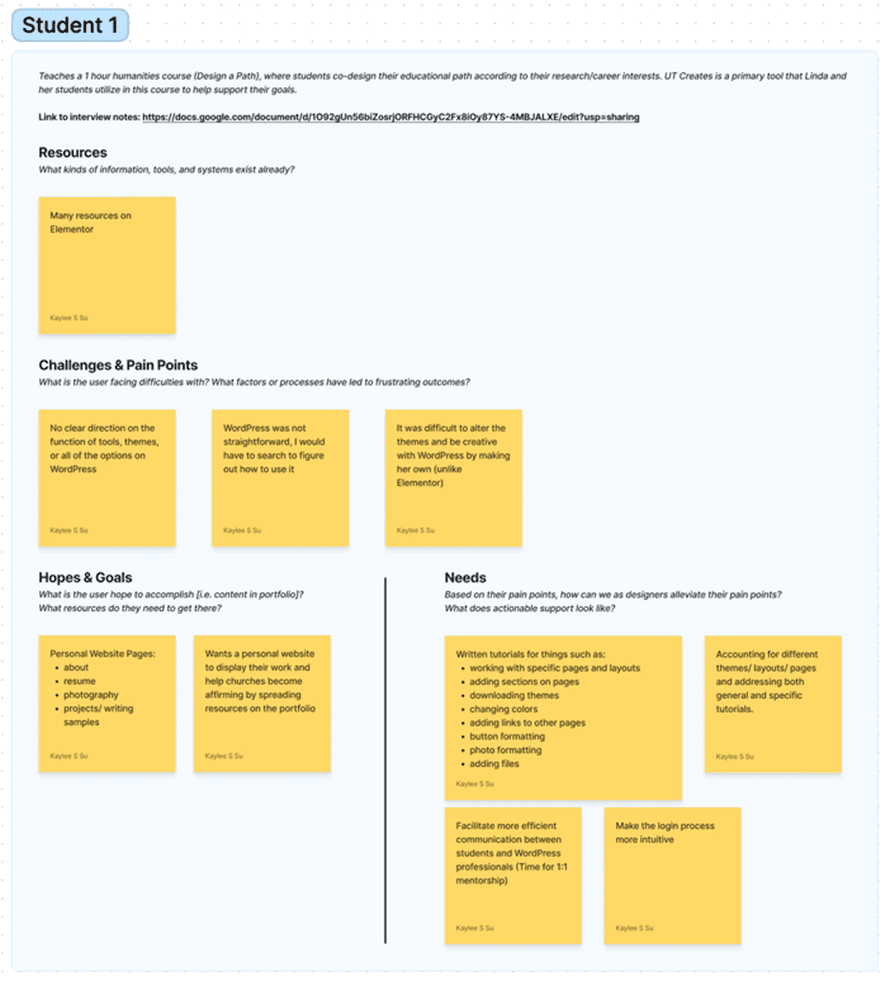
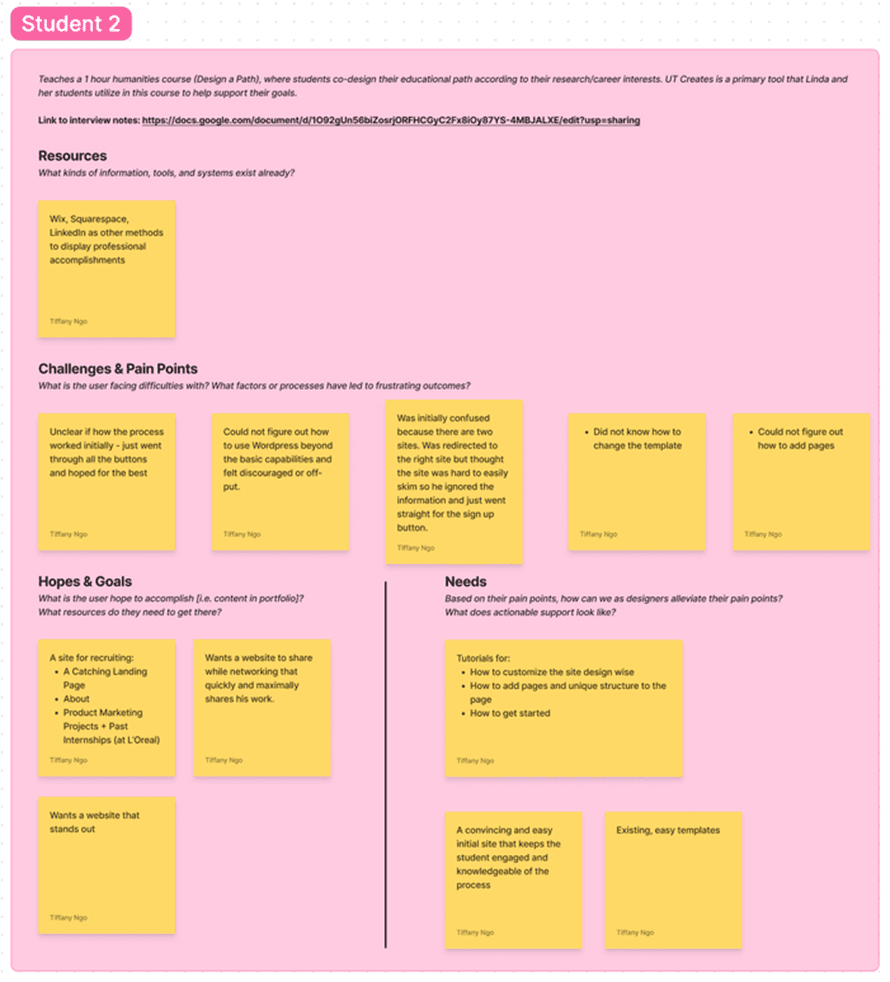
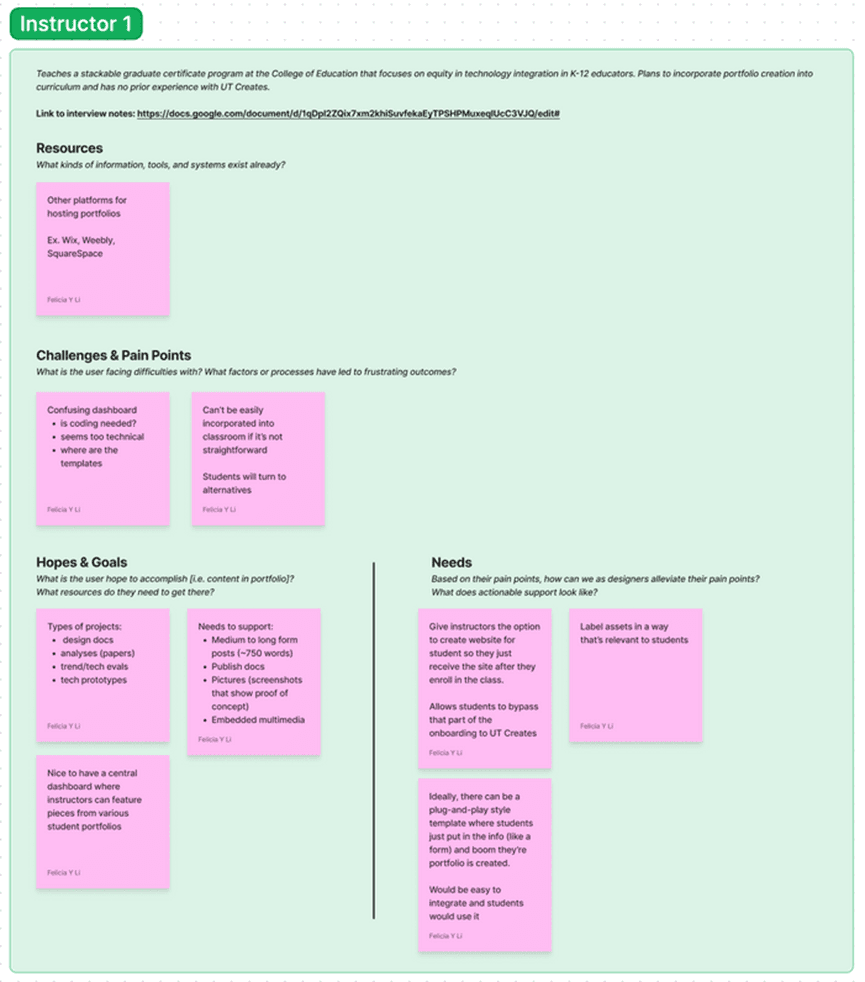
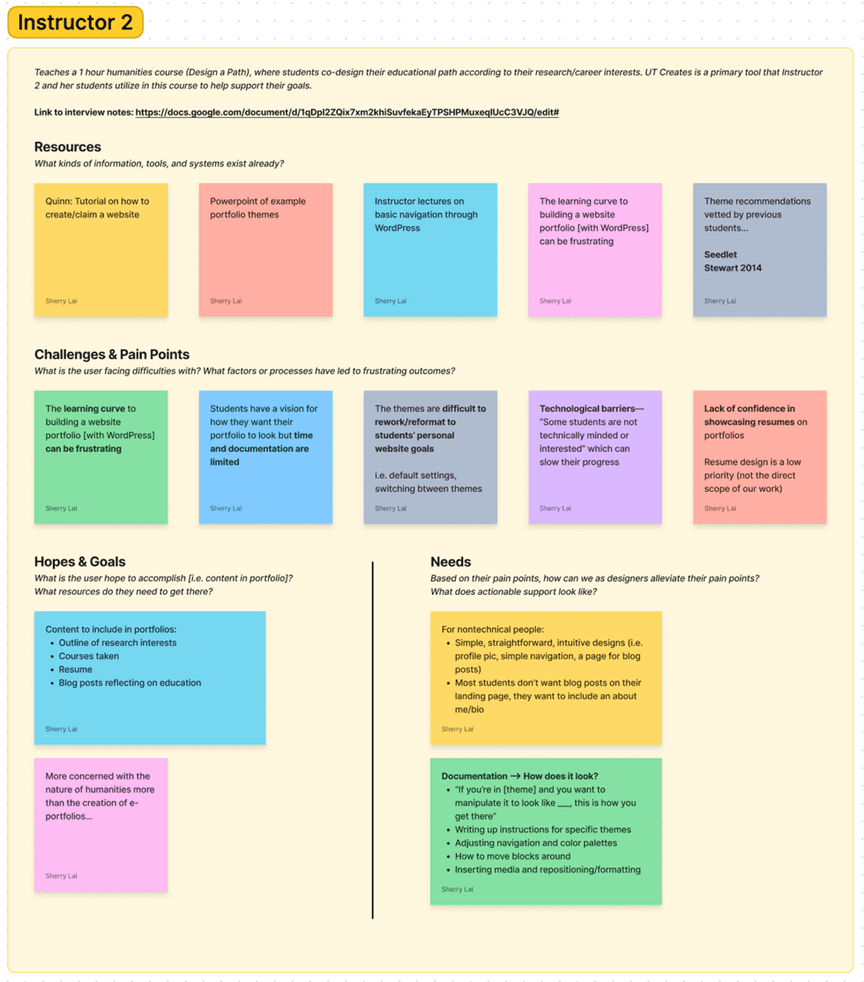
The team interviewed four subjects to identify common pain points hindering users in creating websites with UT Creates to understand what actions can be taken to enhance user experience. To get different perspectives in the research, two instructors and two students with varying experiences with UT Creates were interviewed for the study.
I wrote questions for the interview guide and interviewed Instructor 1.
Interview Insights
The following areas were mentioned during interviews that needed clarification:
Getting started
Themes
Changing elements within a theme
Downloading themes
Adjusting navigation
Adjusting layout
Adjusting color palettes +1
Media
Inserting media
Formatting media +1
Pages
Working with specific pages and layouts
Adding sections on pages
Linking to other pages
Page Elements
Button formatting
Adding files
Moving blocks around
Research Synthesis
Pain Points
Themes are difficult to tailor to the students' needs
The website creation process is unintuitive
Gap of technical knowledge and application
Navigating WordPress
Executing vision
Solution
To address the primary pain points experienced by users in the limited amount of time we had, the team decided to create the following instructional support materials:
A website template with basic pages
Step-by step video walkthrough
Written documentation
Portfolio Template
To understand our users better, the team became users of UT Creates and each made our own portfolios. We familiarized ourselves with the nuances of the Wordpress interface and went through the entire process of creating a personal portfolio from start to finish. We decided to move forward with the template I had create to be the reference future users can leverage when first getting started.
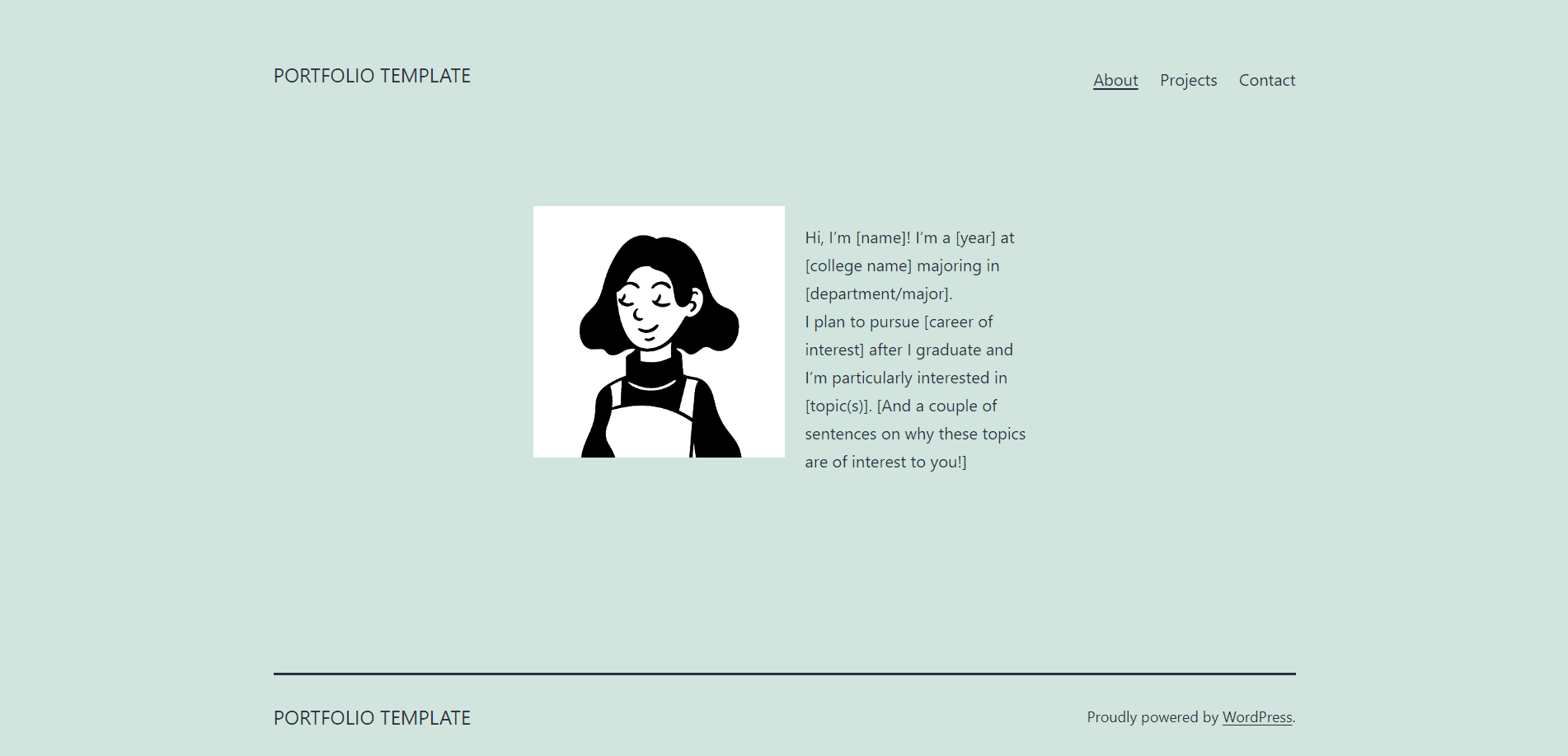
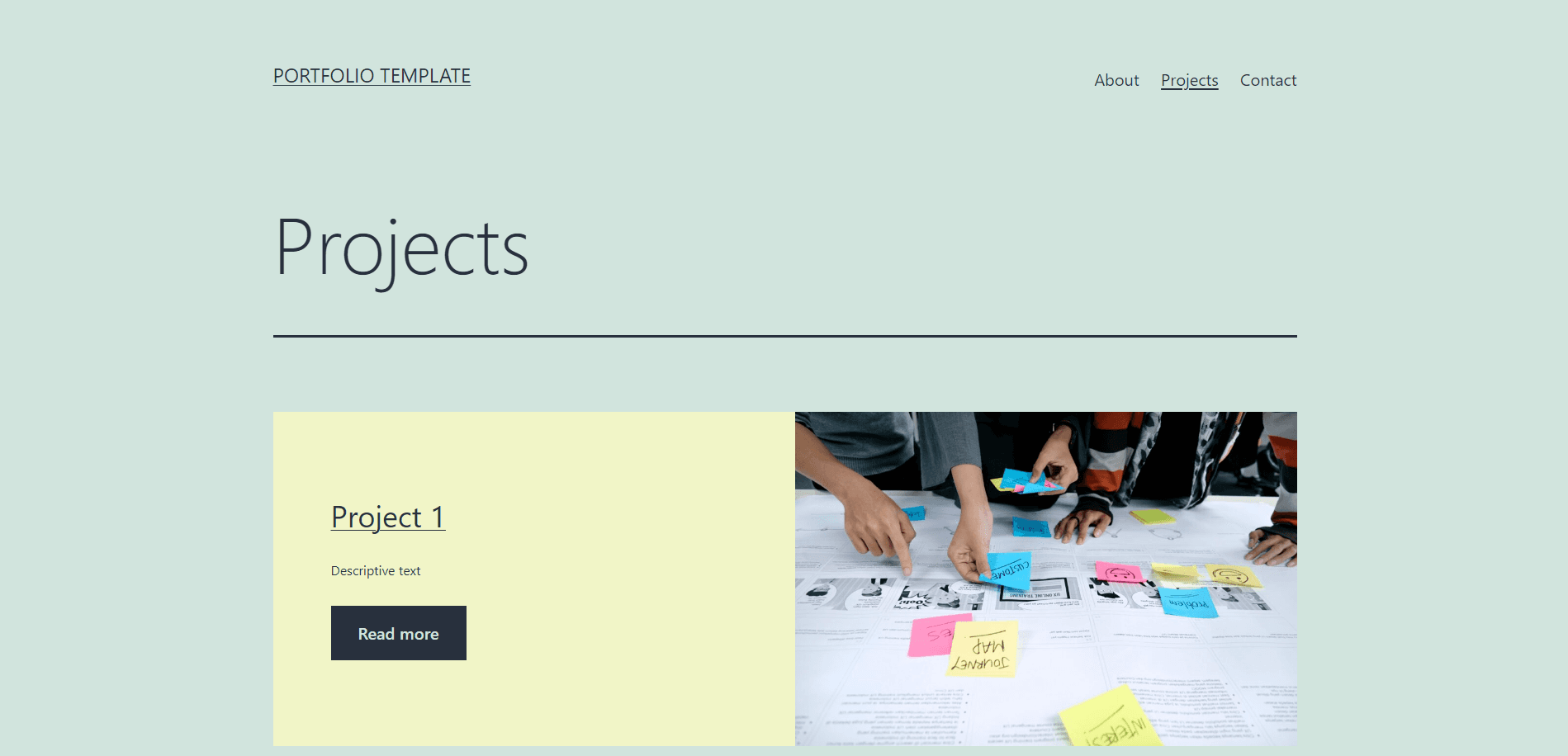
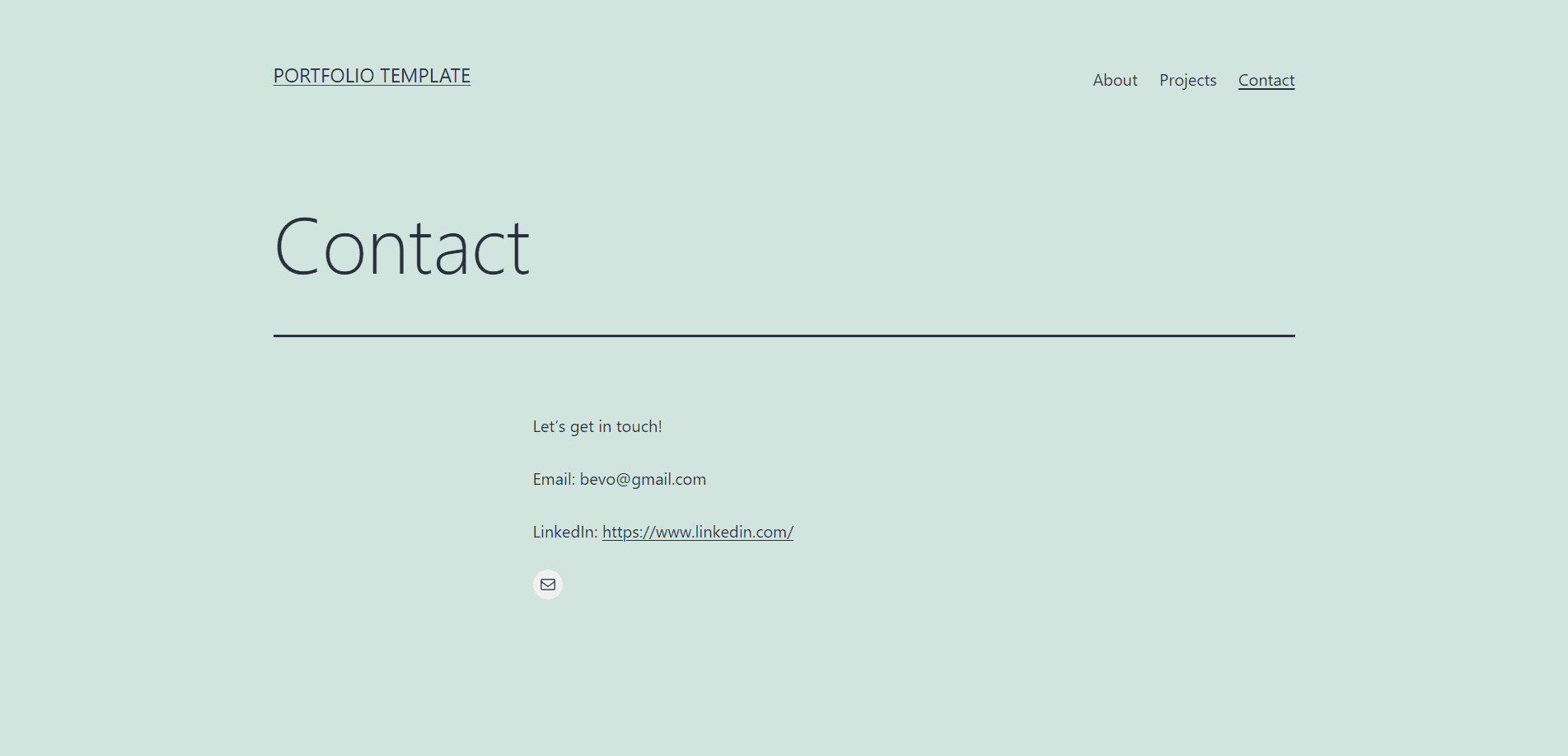
Based on our personal explorations and research insights, the team decided that the structure of our portfolio should include an About, Project, and Contact page. Additionally we included certain elements and features, such as adding files, based on the research findings. I documented the process of creating the template, which we later refined and used as a video tutorial.
The live portfolio template can be viewed here: https://sites.utcreates.org/basictemplate/
Supporting Materials: Video Tutorials
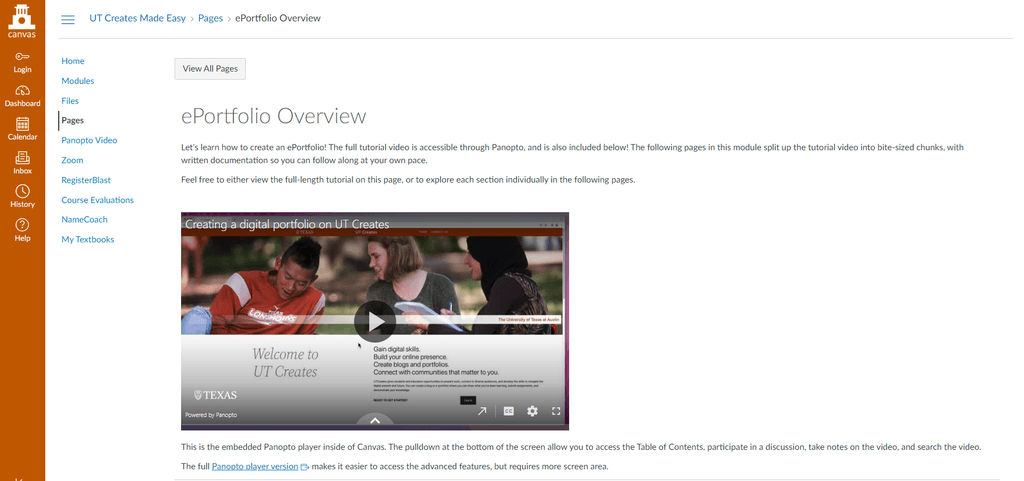
For the instructional materials, we created both video and written tutorials to bolster accessibility by providing users with the option of choosing between two different formats. Some users might enjoy the visual demonstrations while others find reading instructions to be more effective.
I predominately worked on the video tutorial, which included recording the tutorial and voice over as well as the editing. The video tutorial is essentially a walkthrough on how to create template. When designing the demo, we really tried to focus on addressing the pain points brought up during the interviews. So I made sure to demonstrate how to sign up for a site, how to set up your page with a theme and static landing page. How to populate the pages with content using different types of blocks such as buttons and patterns.
The live page for with the supplemental materials can be found here: UT Creates Made Easy
Next Steps
In order to see how effective this solution is, we really need some user testing and then iterate based on feedback we receive from the students and instructors who are using UT Creates in their classrooms. Currently, the tutorial is on a Canvas page that anyone can access. Since it’s a Panopto video, which means users can leave timestamped comments throughout the tutorial if they have feedback. We can leverage this feature as great way we can potentially collect feedback from users.
Additionally, the team was able to learn how to record and edit tutorials, and was able to produce a high quality video tutorial in a relatively short turnaround time of a single week. When updates to the tool cause the current tutorial to become dated, it would be easy to make quick changes or new materials in response to insights from user testing.
Let’s Chat!
I'd love to hear more about your experiences
as well as potential opportunities.